Engine Output
Engine Output sends the mesh or rigged character wired into it to an open Unity project. Choose the project in Destination and click Send to Unity. Sending again refreshes the same assets, including after you move or rename their folder.
Inputs
Section titled “Inputs”The mesh or rigged character to send to Unity.
Parameters
Section titled “Parameters”| Parameter | What it does | Default |
|---|---|---|
Destination | The open Unity project to send to, saved by project identity rather than port. | Set in the panel |
Folder | Folder under Assets/Forge. Blank uses the Forge project name. | Blank |
Asset name | Prefab name. Blank uses the wired node's name. | Blank |
Send to Unity
Section titled “Send to Unity”- Open Unity 6000.0 or newer with Forge Bridge for Unity installed. Window ▸ Forge shows the listening port.
- Add Engine Output at the end of your mesh chain. For a character, put it after Auto Rig → Add Animation (and Hair Physics when used).
- Select the node. Answer Unity’s Allow Forge to connect? dialog. Chrome may also ask whether Forge may reach apps on this device; choose Allow.
- Pick the Unity project in Destination. Multiple open projects appear by name. A saved project that is closed says not running.
- Leave Folder blank to use the Forge project name and Asset name blank to use the wired node’s label, or type your own names.
- Click Send to Unity. The status shows the prefab path or the reason a send failed.
Unity creates Assets/Forge/<Folder>/<Name>.prefab, with Meshes, Materials and Textures beside it.
Rigged characters also have Animations containing the clips and an Animator Controller. Drag the
prefab into a scene and press Play: the first clip plays. The avatar is Generic. URP, HDRP and
Built-in use their stock material shaders.
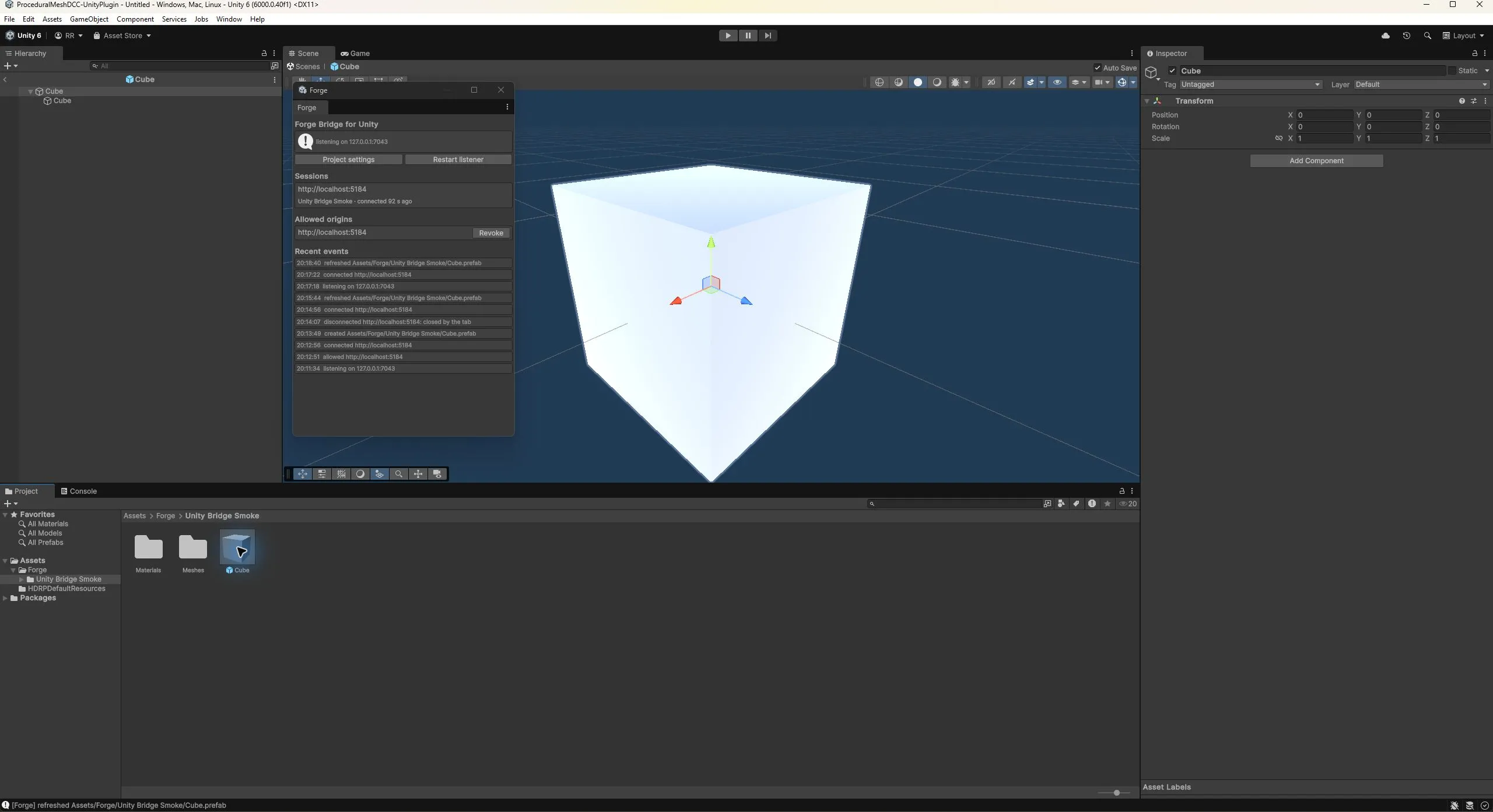
Local development smoke test in Unity 6000.0.40f1 with the Built-in renderer. A localhost Forge tab created the prefab, refreshed the same assets, and reconnected after a script reload.
Refresh and customize
Section titled “Refresh and customize”Repeat sends update Forge-owned assets in place with stable GUIDs, even after moving the folder. Customize through Prefab Variants or scene overrides. Reassigned slot materials remain yours. The Animator Controller is created once; later sends add new states while keeping your transitions and settings. An asset belonging to another Forge project cannot be overwritten.
If Unity is denied or its origin revoked, select the node again to ask once more. If Chrome blocks the connection, allow Apps on device in this site’s settings. Discovery scans ports 7042 to 7049; keep Unity’s configured listener range within those ports.
The node works inside subnets. The copilot can add and wire it and set Folder and Asset name;
choosing Destination and sending are actions you perform. Engine Output currently lists Unity.
Unreal Engine Output remains the Unreal node, while
Export writes a .glb file for any engine.
Getting the package
Section titled “Getting the package”Forge Bridge for Unity is distributed through the private ForgeUnityBridge repository. You need access to that repository and Git authentication on your computer.
In Unity’s Package Manager, choose Add package from git URL and paste the versioned
package URL from the package’s
installation instructions.
For local development, choose Add package from disk and select
Packages/com.technicallyartist.forge-bridge/package.json in your checkout.
The package requires Unity 6000.0 or newer and uses Unity glTFast only during import.